

Resin 3D prints are, simply put, a kind of controlled magic. We start with a liquid resin — a light-sensitive polymer — and transform it into a solid, highly detailed object using a UV light source. The process builds the object one layer at a time.
The most well-known technologies are stereolithography (SLA) and digital light processing (DLP), and they're popular for good reason: they achieve a level of detail and surface smoothness that leaves other techniques, like FDM filament printing, far behind.
What are resin 3D prints and why does detail matter so much? 🤔
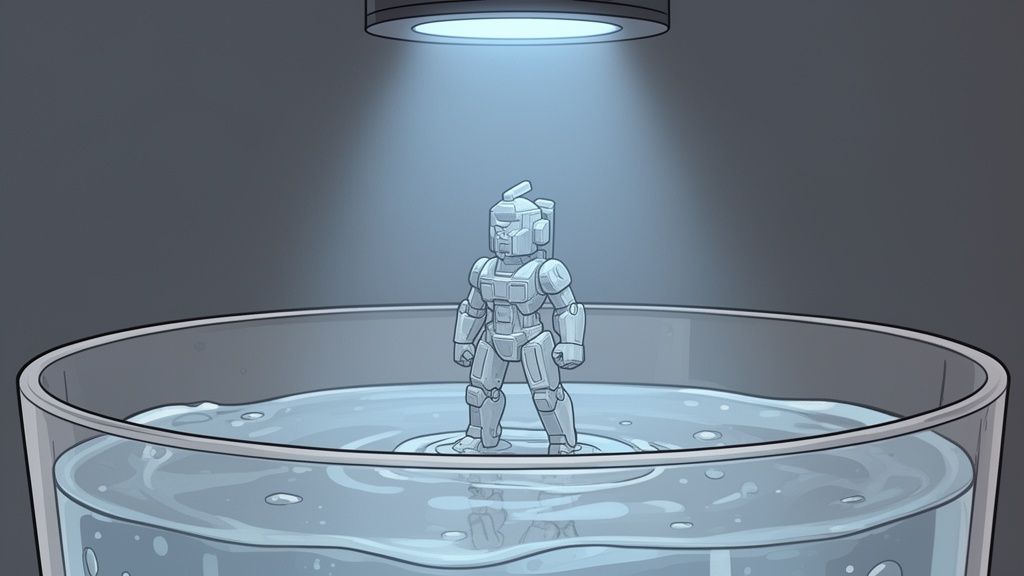
Imagine building something out of microscopic LEGO bricks. Instead of placing them one by one, you have a kind of "magic torch" 🔦 that instantly fuses them together, creating a single seamless piece with no joins or marks. That, in a nutshell, is resin 3D printing.
The printer holds a vat of liquid resin and a build platform that moves downward layer by layer. From below, an LCD screen or projector fires UV light in the exact shape of each layer, curing the resin precisely where it hits.
Because the object is built with this level of precision, the results are remarkable. While other technologies leave visible layer lines, resin prints come out so smooth you can barely see them — and you certainly can't feel them.
Why the obsession with detail actually makes sense

The standout strength of this technology is its ability to reproduce even the finest details. That's why it's the go-to choice in industries where precision isn't optional.
- Scale modelling and miniatures ♟️: Perfect for bringing wargame figures, dioramas, and characters to life with textures and facial features that look incredibly realistic.
- Jewellery 💍: Enables the creation of casting prototypes and moulds with filigree and detail that would be virtually impossible to carve by hand.
- Engineering and prototyping ⚙️: Ideal for producing functional prototypes with smooth surfaces and tight tolerances — perfect for testing fits and assemblies.
The demand for resin 3D prints is reflected in the numbers. The UK 3D printing market is projected to grow significantly before 2027, with much of that growth driven by engineering and design. For specialists like us at Mr Resin, this confirms that demand for high-quality resins in these niches is only heading one way.
If you'd like to understand the full process in more detail, check out our article on how resin 3D printing works.
How to choose the right 3D resin for your project 🎯
Choosing the right resin is like picking the secret ingredient in a recipe: the success of your resin 3D prints depends directly on it. With so many options out there, it can feel overwhelming — but in reality, each type is designed with a very specific purpose in mind. Let's break it all down so you can always make the right call! 🎯
Think of resins like a toolbox. You wouldn't use a hammer to drive a screw, right? 🔨 The same logic applies here. Some resins are perfect for fast, budget-friendly prototypes, while others are specially formulated to absorb impacts or capture every last micropore on a miniature.
Standard resins: the perfect starting point
If you're just getting started, standard resin is your best bet. It's by far the most affordable and beginner-friendly option — ideal for learning the ropes without breaking the bank. It's great for decorative figures, display prototypes, and any part that won't be put under serious mechanical stress.
Its biggest strength is the balance between cost and quality. While it's not the toughest resin out there, it delivers a great surface finish with plenty of detail definition for most entry-level projects.
Water-washable resins: easy, hassle-free cleanup
Let's be honest — cleaning your prints with isopropyl alcohol (IPA) is one of the messiest parts of the process. Water-washable resins 💧 cut out that step entirely, letting you rinse your prints straight under the tap. This not only makes cleanup far more convenient, but it also reduces fumes and makes resin printing safer to do at home.
These resins are a fantastic choice for anyone who wants to streamline their workflow without sacrificing too much detail. Want to dive deeper into this topic? Check out our complete guide to 3D printing resins, where we cover everything you need to know.
ABS-Like resins: built to take a beating
Need to print parts that can handle drops, press-fits, or daily wear and tear? Then ABS-Like resin is the one for you. As the name suggests, it mimics the mechanical properties of ABS plastic, offering significantly better toughness and impact resistance than standard resins.
It's the go-to choice for functional prototypes, electronics enclosures, replacement parts, or anything that needs to hold up over time. Think printing drone components 🚁 or gears for a mechanism — this is where ABS-Like resin truly shines.
High-detail resins: a miniature painter's dream
When every micron matters, 8K and 14K resins are the crown jewels 👑. Formulated to get the absolute most out of the latest-generation printers, they produce a level of detail that has to be seen to be believed. They're the top choice for jewelry, dental models, and — of course — wargaming miniatures with incredibly fine textures and razor-sharp details.
Quick comparison: Mr Resin 3D resins at a glance
We've put together this table so you can see everything side by side. Use it to find the right resin for your project based on application, ease of use, and the end result you're after.
| Resin Type | Best For | Main Advantage | Difficulty Level |
|---|---|---|---|
| Standard | Beginners, decorative figures, visual prototypes | Affordable and easy to use | Easy ✅ |
| Water Washable | Home projects, simplified cleanup | Rinses clean with water, lower odour | Easy ✅ |
| ABS-Like | Functional prototypes, tough mechanical parts | High impact resistance and toughness | Intermediate ⚠️ |
| High Detail (8K/14K) | Miniatures, jewellery, dental models | Maximum detail and smooth surface finish | Intermediate ⚠️ |
As you can see, choosing the right resin will save you time, money, and a whole lot of frustration. Before you buy, take a moment to think about what your project actually needs and pick the resin that fits those requirements. That way, success is practically guaranteed! 😉
How to set up your first resin 3D printer without losing your mind 🛠️
Opening the box of your first resin printer is a mix of excitement and, let's be honest, a little bit of overwhelm — right? Don't panic! 🛠️ Getting it assembled and ready to print is much easier than it looks. The secret to perfect resin 3D prints is a well-calibrated machine, and once you understand its four main components, you'll feel completely in control.
Think of it this way: the monochrome LCD screen is the brain — it projects the image of each layer. Just below it, the UV light source does the magic and cures the resin. Between the two, sitting at the bottom of the vat, is the FEP film — a transparent sheet that plays a crucial role. Finally, the build plate moves up and down, building your model layer by layer. Understanding how these parts work together is the first step to mastering the craft.
From unboxing to first power-on 📦
The printers we carry at Mr Resin — including models from Anycubic and Elegoo — come almost fully assembled. Getting one out of the box and up and running takes no more than 20 minutes. Typically, all you need to do is attach the build plate and fit the resin vat. That's it!
To get off to a great start, follow these steps:
- Unpack carefully: Remove all foam and plastic packaging. Double-check that nothing has been left inside the printer — stray bits of packaging have a habit of hiding in there.
- Plug in and power on: Connect the power and press the power button. First, check that the touchscreen responds and that you can navigate the menus without any issues.
- Run a screen test: In the tools menu, most printers include an "exposure test" or "screen test" option. This will light up the LCD with a rectangle, letting you confirm the entire screen area is working and that there are no dead pixels.
Levelling: the step that will make or break your prints
If there's one thing that separates a flawless first print from a blob of cured resin stuck to the FEP, it's build plate levelling. It's, without question, the number one cause of adhesion failures. The goal is straightforward: get the build plate perfectly flat and parallel to the LCD screen.
Leveling isn't a one-and-done task. It's worth checking every few prints, or whenever you move your machine. Trust me, spending two minutes on this will save you hours of frustration and wasted resin.
The process is pretty standard: loosen the build plate screws, place a sheet of paper over the LCD screen (this protects it and gives you the right gap), then use the "home" or "zero" function to lower the build plate until it stops. Once it's down, press it firmly against the paper, tighten the screws back up, and save that position as "Z=0". You're now one step away from launching your first print and watching the magic happen! ✨
The art of post-processing for professional finishes ✨
Congratulations, your print is done! 🎉 But the journey doesn't end here. In fact, this is where one of the most important phases begins — turning your resin 3D prints from simple objects into works of art with a professional finish. This phase is called post-processing, and it's the secret to achieving clean, durable, and stunning results.
Post-processing follows a workflow broken down into three key stages: washing, support removal, and curing. It might sound like a lot, but it's a methodical process that, once you get the hang of it, becomes almost second nature.
Step 1: Washing your print
When the build plate rises, your print is coated in a thin layer of uncured liquid resin. The first step is to clean it thoroughly to remove this excess — otherwise it'll leave the surface sticky and ruin all those fine details you worked so hard to achieve.
You have two main options:
- Isopropyl Alcohol (IPA): This is the most common and effective method. Submerge the print in a container of IPA and gently agitate it to let the alcohol do its job.
- Water (for water-washable resins): If you're using water-washable resin, you can rinse the print directly with water, which simplifies the process significantly and cuts down on odors. An absolute game-changer.
Regardless of which liquid you use, the goal is the same: remove all uncured resin from the surface. If you want to master this technique, we have a complete guide on using isopropyl alcohol for resin 3D printing on our blog that you'll find really helpful.
This diagram illustrates the basic workflow for getting your printer up and running — a process that comes before post-processing and lays the groundwork for success.
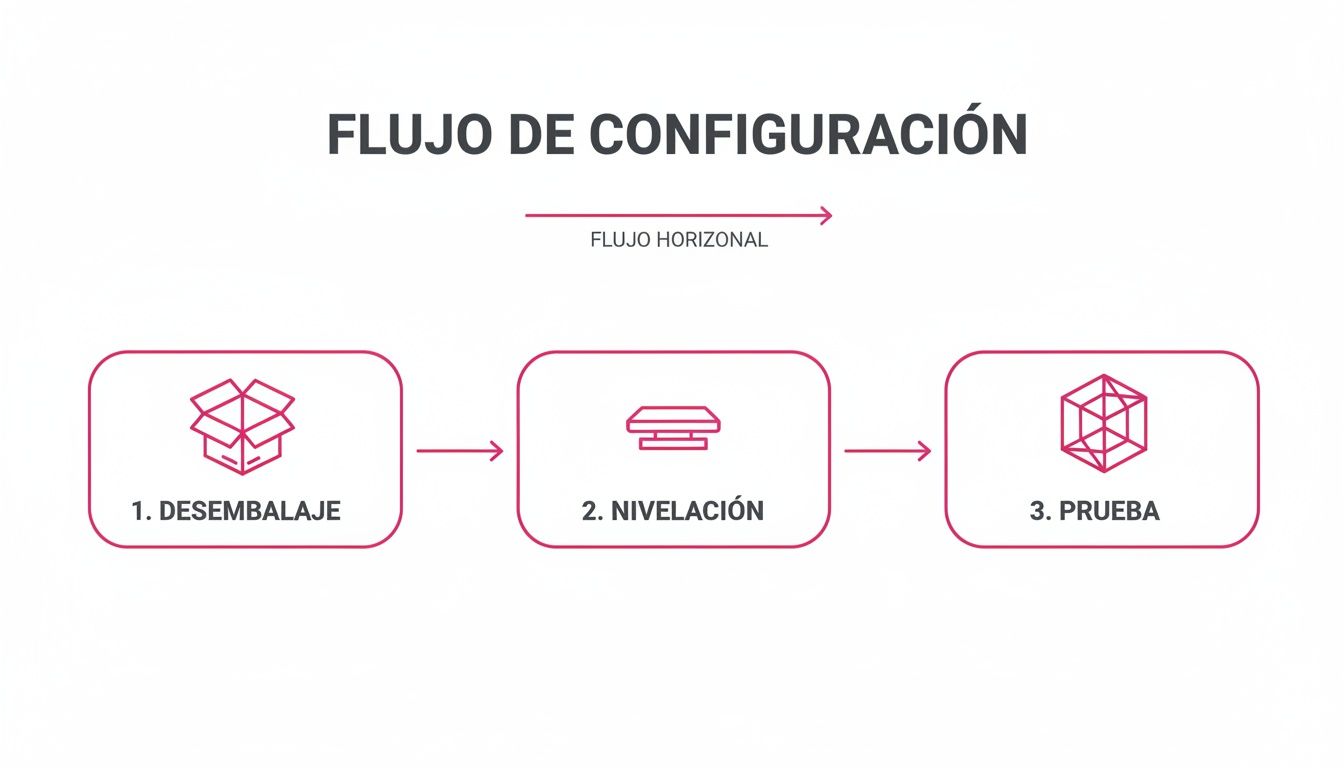
Getting your initial setup right, as shown in the infographic, is just as critical as the post-processing itself when it comes to avoiding failures and ensuring a great final result.
Step 2: Support removal
Once your print is clean, it's time to remove the supports — and take it slow! At this stage, the resin is in a "green state," meaning it's still quite brittle.
The ideal approach is to remove supports before the final cure, while they're still soft and easier to cut, reducing the risk of leaving unsightly marks on your print. Use a pair of fine, sharp flush cutters and work carefully.
Step 3: Final UV curing
The last step is curing. This involves exposing your print to a UV light source to fully harden it and achieve maximum mechanical strength. Without proper curing, your print will remain soft, brittle, and tacky indefinitely.
Pro Tip: To automate and perfect these steps, Wash & Cure stations are a game-changing investment. At Mr Resin you'll find models that combine both processes in a single machine, saving you time and guaranteeing consistent, safe results. ✨
Solving the Most Common Resin Print Failures 🧐
Let's be honest: even the most experienced maker has dealt with a failed print. 🧐 It's part of the journey with resin 3D printing, but what really makes the difference is understanding why failures happen so they don't happen again. The key is turning that frustration into knowledge — so you can master your printer and get perfect prints every time.
Think of this section as your emergency cheat sheet for diagnosing and fixing those maddening failures. Don't worry — almost all of them have a logical explanation and a solution that's simpler than it looks. Let's break down the most common mysteries!
Print Not Sticking to the Build Plate
This is, without a doubt, the number one failure — and the most frustrating one when you're just starting out. You hit print full of excitement, and hours later you find a blob of cured resin stuck to the bottom of the vat (the FEP) and nothing on the build plate. The cause almost always comes down to one of these three things:
- Incorrect leveling: We've said it before, but it really is the most CRITICAL step. If the build plate isn't perfectly flat and parallel to the LCD screen, the first layer simply won't adhere. It's that straightforward.
- Bottom exposure time too low: Your first layers are the foundation of your print. They need more UV light exposure time to create a solid, well-anchored base. Increase this value in your slicer settings.
- Poor adhesion: Cleanliness is everything. Make sure your build plate is spotless. A thorough wipe-down with isopropyl alcohol will remove any grease or resin residue that could be sabotaging adhesion.
Layer Separation or Delamination
Is your print showing horizontal lines or cracks, like it's peeling apart? That's called delamination, and it happens when a layer fails to bond properly with the one below it.
This failure can be caused by very long pauses during printing, a sudden temperature drop in the room, or — most commonly — a lift speed that's too high. This creates such a strong suction effect that it tears layers apart.
To fix it, try reducing the lift speed in your slicer settings. It also helps a lot to keep your resin at a stable temperature, ideally above 20 °C (68 °F).
Soft or Mushy Details
If your miniatures come out with details that look "melted," soft, or blurry, the culprit is almost always too much exposure time on normal layers. When the UV light stays on longer than needed, it bleeds beyond the edges of the layer, causing details to "bloat" and merge together.
The best way to dial this in is to print a calibration test. These are small models designed specifically to find the perfect exposure time for each resin. They help you get maximum sharpness without making your print brittle. It's a small effort that makes a huge difference in your final results! 💪
Painting Your Prints for Stunning Results 🎨
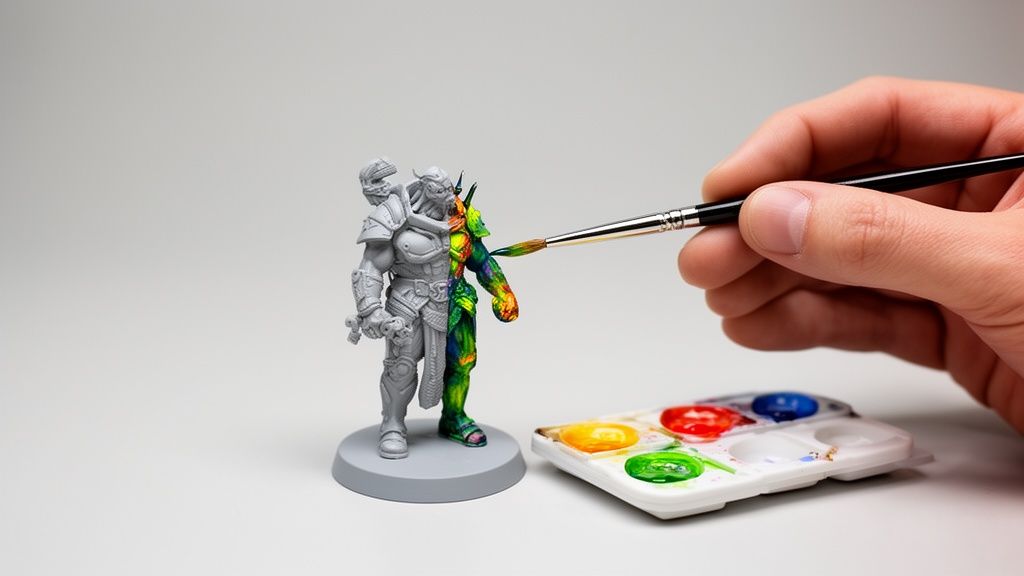
Once your print is washed and cured, the most creative and rewarding part begins: bringing it to life with colour! 🎨 Resin 3D prints, with their smooth surface and incredible level of detail, make a perfect canvas — especially for miniature painters and wargamers.
Trust me, transforming a grey model into a genuine work of art is easier than it looks if you follow a few key steps.
The first step — and this is non-negotiable — is applying a solid coat of primer. Think of it as the foundations of a building: it prepares the surface so the paint adheres evenly and doesn't chip off at the first opportunity. It's the bridge between the resin and the colour.
Your Painting Kit: Paints and Brushes
To achieve results that will genuinely impress, you need quality tools. At Mr Resin, we have our favourite brands — the ones that are an industry standard in the miniature painting world and never let you down.
- Vallejo Paints: With ranges like Game Color and Xpress Color, Vallejo gives you a near-endless colour palette and top-tier quality. They're water-based acrylics, making them very easy to use with both a brush and an airbrush.
- Artis Opus Brushes: A great brush makes all the difference. Artis Opus brushes are designed to give you maximum control and precision — essential for those tiny details that make a miniature truly come alive.
With your print primed and your tools ready, let the magic begin.
Essential Techniques for an Amazing Finish
You don't need to be Michelangelo to achieve jaw-dropping results. Master these three basic techniques and your miniatures will leap forward in quality.
- Base Coats: Simply apply the main colours to your model. The key is to build up thin, even layers so you don't obscure the detail. Patience and thin coats!
- Washes: This is liquid magic, I promise. 🧙♂️ Highly thinned inks flow into every recess on the figure, creating natural-looking shadows quickly and effortlessly.
- Dry Brushing: The perfect technique for highlighting textures and edges. Load your brush with a tiny amount of paint, wipe off almost all of it on a piece of paper, then lightly sweep it across the raised areas. Watch all the details pop.
One final golden tip: once you're happy with your work, protect it. A coat of matte or satin varnish will not only guard against scratches and wear over time, but it will also unify the finish across your little masterpiece. Now get painting! 🖌️
Conclusion:
You now have everything you need to get started. Resin 3D printing is no longer a distant technology — it's a powerful tool within reach of anyone with the desire to create. We hope this guide gives you the confidence to dive in. Don't be discouraged if your first print isn't perfect; with a little practice and patience, the results you can achieve are, quite simply, spectacular. 🌟
Now it's your turn. Head over to the Mr Resin online store, where you'll find everything you need to get started on the right foot. From resins and the latest generation printers to every accessory you need to make post-processing a breeze. We're here to help take your projects to the next level.
And most importantly — you're not alone on this journey. We want you to join our makers community. Join our Telegram group here to access exclusive community discounts and deals, plus coupons, news, and special events. It's the perfect place to show off your creations and ask any questions you might have.
Don't forget to subscribe to our Newsletter as well! You'll get access to even more exclusive community discounts and deals, coupons, news, and events.
✨ Happy Printing! 🚀
Written with the Outrank tool