

A dental 3D printer is, in simple terms, a machine that builds three-dimensional objects layer by layer from a digital design. This allows clinics and labs to produce everything from study models to surgical guides and splints, with a level of precision that was previously unimaginable.
Its arrival is retiring the old (and slow) manual plaster processes, opening the door to a far more efficient and personalized approach to dentistry.
How Digital Dentistry Is Revolutionizing Your Daily Practice
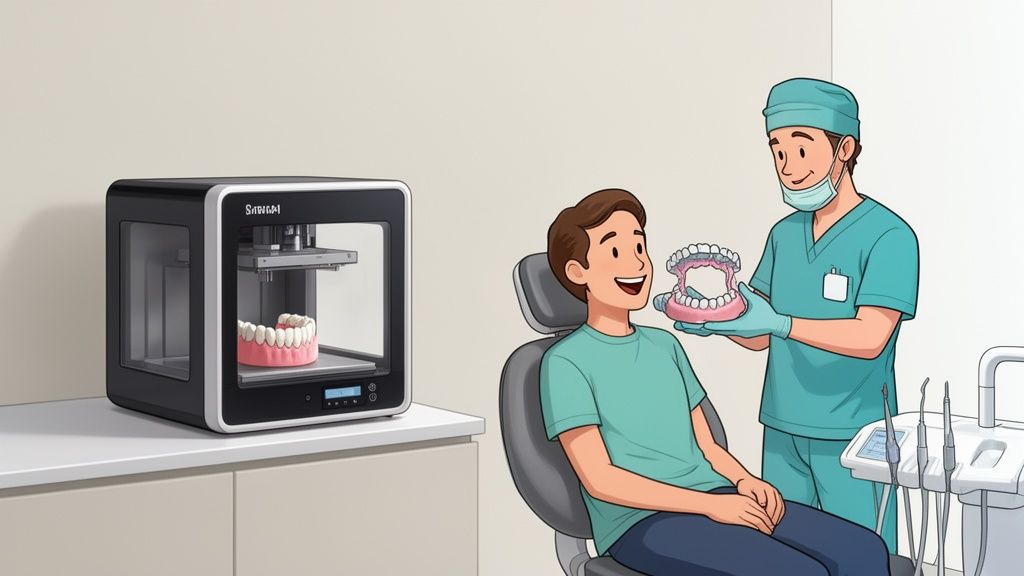
Dentistry has taken a giant leap forward. 🚀 The shift from traditional methods to digital workflows isn't just an incremental improvement — it's a fundamental change in how treatments are planned and delivered.
Imagine leaving behind, once and for all, the days of taking alginate impressions, waiting for plaster to set, and wrestling with the inaccuracies of manual work. Digital dentistry, with the dental 3D printer at its core, transforms your clinic or lab into an agile, high-precision production center. ✅
And this technological leap is spreading at a remarkable pace. In Spain, the progress is clear: around 30% of dental clinics were already digitalized by 2022, a year in which the sector generated over 930 million euros in revenue. This boom is reflected in a 65% increase in digital equipment sales compared to 2019. The trend is unstoppable. For a deeper look, you can explore the details of the Spanish dental market.
Unlimited Precision and Customization 👌
The greatest advantage of owning a dental 3D printer is the ability to manufacture fully custom parts with remarkable accuracy. Unlike traditional methods, where human error is always a factor, 3D printing faithfully reproduces the digital design.
In day-to-day practice, this translates to:
- Perfect fit, every time: Splints, temporary crowns, and surgical guides fit precisely as intended. This means less chair time for adjustments and significantly happier patients. 😊
- Complex treatments made simple: It enables the creation of surgical guides that ensure accurate implant placement, minimizing risk and speeding up recovery.
- Complete design freedom: A whole new world of possibilities opens up for creating prosthetic and orthodontic solutions that were previously impossible or too costly to produce. 🎨
Speed as a Competitive Advantage ⚡
In an industry as competitive as dentistry, time is money. Being able to produce in-house what you used to outsource — and wait days or even weeks to receive — is a massive strategic advantage. ⏰
With a dental 3D printer in your clinic or lab, you can produce a model, a custom tray, or several occlusal splints in a matter of hours. This agility doesn't just make your workflow smoother — it transforms the patient experience, delivering fast, effective solutions that build loyalty and trust.
The real transformation isn't in the machine itself — it's in the workflow it makes possible. Integrating 3D printing means redesigning the way you work to become faster, more precise, and ultimately, more profitable. 💰
Bottom line: adopting this technology is no longer a future option — it's a necessity for any professional who wants to stand out, improve clinical outcomes, and maximize the profitability of their practice. It's the definitive step toward smarter, patient-centered dentistry.
Understanding SLA, DLP, and MSLA 3D Printing Technologies
Diving into the world of resin 3D printing can feel like wading through a sea of acronyms and technical jargon — but it's simpler than it looks. 🤓 For any clinic or lab, the first step to choosing the right machine is understanding how a dental 3D printer actually works.
The three technologies that dominate the dental sector are SLA, DLP, and MSLA. They all do the same thing: cure liquid resin layer by layer using ultraviolet (UV) light. What differs is how they do it — and those differences are critical when it comes to speed, precision, and cost. Let's break them down with simple analogies so you can figure out which one fits your workflow best.
SLA (Stereolithography): The Meticulous Artist 👨🎨
Picture an artist drawing with an ultra-precise light pen. That's essentially how SLA technology works. A UV laser, guided by mirrors (known as galvanometers), traces the outline of each layer onto the liquid resin. This method is incredibly accurate, capable of producing ultra-fine details and exceptionally smooth surfaces.
Its greatest strength is pinpoint accuracy — something critical for restorations where fit is everything, such as crowns or bridges. But that level of detail comes at a cost: speed. Because the laser has to "draw" every point of each layer, the process is slower — especially with large parts or when printing multiple models simultaneously.
DLP (Digital Light Processing): The Cinema Projector 📽️
Now think of a movie projector. Instead of drawing point by point, DLP technology projects the complete image of an entire layer all at once — like a slide. 🎞️ An array of microscopic mirrors directs UV light to cure the whole layer simultaneously.
The big advantage? Speed. It doesn't matter whether you're printing a single model or a full build plate — layer time is constant and significantly faster than SLA. This makes it ideal for high-volume labs that need to produce large quantities of splints or study models every day.
"Choosing between technologies isn't about which one is 'best' — it's about which one aligns with your priorities. Do you need the highest possible precision for a single complex restoration, or the ability to produce twenty identical models in record time?"
MSLA (Masked Stereolithography): The Smart Evolution 💡
MSLA technology is the current star of the show, and the one you'll find in the most popular printers from brands like Anycubic and Elegoo. It's a brilliant, more cost-effective evolution of DLP. Instead of an expensive projector, it uses a monochrome LCD screen as a mask for the UV light. 💡
This screen acts like a stencil — letting light through only where the resin needs to cure and blocking it everywhere else. Just like DLP, it cures entire layers at once, achieving impressive print speeds. The key difference is that modern LCD screens offer ultra-high resolutions (4K, 8K, and beyond), eliminating the old problem of visible pixels and delivering precision that goes head-to-head with SLA.
To get a deeper understanding of how this process works, check out our guide to resin 3D printing.
MSLA technology has made high-quality dental 3D printing far more accessible, offering a near-perfect balance of speed, precision, and highly competitive pricing.
Here's a quick cheat sheet to compare these technologies at a glance. 📋
Quick Comparison of Dental 3D Printing Technologies
This table summarizes the key characteristics of SLA, DLP, and MSLA in dental applications, helping you decide based on your precision, speed, and budget requirements.
| Technology | Light Source | Precision | Speed | Best For |
|---|---|---|---|---|
| SLA | A UV laser that traces each layer | Very High | Slow | Crowns, bridges, and restorations requiring a perfect fit. |
| DLP | A projector that flashes each layer | High | Fast | Batch production of models, splints, and aligners. |
| MSLA | An LED array with an LCD mask | Very High | Very Fast | Most dental applications, thanks to its balance of cost, speed, and quality. |
As you can see, there's no single winning technology. MSLA has become the de facto standard for many labs due to its versatility and affordability, but SLA remains the gold standard for precision in highly specific cases. The key is understanding what you need to produce and how often.
The Digital Workflow: Mastering the Process from Start to Finish 🔄
Having a dental 3D printer in your clinic or lab is just the first step. The real magic happens when you master the complete digital workflow — a process that transforms a patient scan into a physical, ready-to-use appliance in a matter of hours. ⏱️
While it might seem overwhelming at first, it's actually a straightforward sequence of logical steps. Let's break it down into four key phases so you can see just how simple it is to go from screen to reality, optimizing each stage for flawless results.
1. From Scan to CAD Design 🖥️
Everything starts in the chair. The first step is leaving behind the uncomfortable and often imprecise alginate impressions and embracing the intraoral scanner. This device captures the patient's anatomy in 3D with remarkable accuracy, generating a digital file in minutes.
Once you have that virtual model, it's time to design the solution. This is where CAD (Computer-Aided Design) software comes in — programs like Exocad, 3Shape, and Blue Sky Plan are the industry standard. With these tools, you can design everything from a simple occlusal splint to a complex surgical guide, with full control over every detail. The output is an STL (Standard Tessellation Language) file — essentially the universal language of 3D printing.
2. The Magic of 3D Printing 🖨️
With your STL file ready, it's time to bring it to life. But before you hit "print," there's a critical intermediate step: slicing software, commonly known as a slicer. Programs like Chitubox or Lychee Slicer act as the conductor of your printer's orchestra.
This software takes your 3D model and "slices" it into hundreds or thousands of ultra-thin horizontal layers. At this stage, you make decisions that directly affect the final quality of the part:
- Orientation: Strategically tilting the model can shorten print time, improve the accuracy of critical surfaces, and minimize the need for supports.
- Supports: These are small structures generated to hold up parts of the model that would otherwise be "floating in mid-air" during printing. Placing them correctly is an art form: they need to be strong enough to prevent failures, yet fine enough to be removed easily and without leaving marks.
Once everything is configured, the slicer generates the final file that the printer can read. Now we're ready to print! 🥳
3. Washing and professional finishing 💧
When the printer finishes its job, the part isn't ready yet. It comes out of the machine coated in a layer of uncured liquid resin that needs to be completely removed. This step is essential for achieving smooth surfaces and crisp details.
The standard method is washing the part in isopropyl alcohol (IPA), which effectively dissolves residual resin. To make this stage easier and more repeatable, wash and cure stations are available — such as the Anycubic Wash & Cure — which automate the process using a magnetic vortex, ensuring a thorough clean without damaging the part.
4. UV post-curing for maximum strength ☀️
After washing and drying, the part is in a "green" or semi-cured state. It already has its final shape, but its mechanical properties aren't yet optimal. The final step is post-curing, which simply means exposing the part to UV light and heat in a highly controlled way.
Post-curing isn't an optional step — it's an essential phase of the process. It's what ensures the part reaches its maximum hardness, strength, and most importantly, its certified biocompatibility.
This final cure completes the polymerization of the resin, "locking in" the polymer chains and ensuring the material is completely safe for patient contact. The same wash stations typically include a UV curing function with a rotating platform for uniform exposure. Once this step is complete, the part is ready for clinical use! ✨
How to choose the right dental resins for each application
If the dental 3D printer is the engine of your clinic or lab, resin is the fuel. 🧪 And trust me, not all resins are created equal. Choosing the wrong material is like putting diesel in a petrol engine: the result, at best, will be a disaster.
Every dental job has its own set of requirements — from the millimeter-level precision demanded by a model to the mandatory biocompatibility of a splint. Understanding which resin to use and when is key to getting a return on your investment and achieving flawless clinical results.
Resins for study models and diagnostics 📝
Here, precision is the undisputed queen. 👑 For study models, orthodontics, or treatment planning, you need a resin that faithfully reproduces every fine detail from the intraoral scan. These models are your working map, so any distortion or material shrinkage can throw the entire plan off track.
ABS-Like resins are a solid choice for this application. They offer excellent rigidity, minimal shrinkage, and an ultra-smooth surface — perfect for checking contacts and morphology. They're typically available in opaque colours such as grey or beige, which help you see every detail without distracting reflections.
Resins for Surgical Guides and Splints 👩⚕️
Here's where we enter truly critical territory: biocompatibility. Any part that will contact a patient's mouth, even briefly, must have its medical certifications in order. For surgical guides or occlusal splints, you need more than just precision — you also need materials that can be autoclave sterilized without warping.
Typically, these resins are transparent or light-toned to maintain clear visibility during procedures. In terms of properties, they need to be rigid enough to hold their shape, yet tough enough to resist fracture under impact. Class I or IIa biocompatibility is an absolute non-negotiable.
Resins for Temporaries and Restorations 🦷
When it comes to temporary crowns and bridges, the stakes get even higher. Biocompatibility alone isn't enough here — aesthetics and real-world durability are equally critical. 💪
These resins are engineered to replicate the color and translucency of natural teeth, with VITA shade ranges to ensure seamless integration. They also need to be hard enough to withstand chewing forces for weeks or even months at a time.
What should you look for?
- High flexural strength: To prevent fractures in high-stress areas.
- Low water absorption: To maintain color stability and minimize bacterial buildup.
- Polishable surface: To deliver a finish that's both aesthetically pleasing and comfortable for the patient.
Castable Resins for Metal Casting 🔥
Digital workflows have now transformed the way metal frameworks are created. Castable resins are designed specifically for the traditional lost-wax casting process. You use them to print the patterns for crowns, bridges, or partial frameworks, which are then invested and cast in metal.
The most critical property of a castable resin is that it burns out completely, leaving absolutely no ash residue. A clean burnout is essential for the molten metal to fill the mold perfectly, free of porosity or defects. To make sure you're always working with the best materials, check out our complete guide to 3D printer resins.
Choosing the right resin isn't just about quality — it's a decision that directly impacts efficiency and patient safety. A thorough understanding of the materials available to you will unlock the full potential of your dental 3D printer.
Key Factors for Choosing Your First Dental 3D Printer
Committing to dental 3D printing is a strategic decision that goes well beyond the initial purchase price. 📈 The goal isn't to buy the most expensive machine or the cheapest — it's to find the tool that genuinely fits your workflow, your practice's needs, and your growth plans.
Making the right choice means focusing on the details that make a real difference in day-to-day use. Let's break down the five key pillars you need to weigh to ensure your investment pays off rather than becomes a headache.
Accuracy and Resolution: The Foundation of Your Prints 🔬
In dentistry, precision is everything. We're not talking millimeters here — we're talking microns (µm), where even a minor error can cause a misfit that forces you to redo the work and keep the patient in the chair longer. It's essential to understand the difference between XY resolution (determined by the LCD screen's pixel density) and Z-axis layer height.
For applications that demand the highest accuracy — such as crowns, bridges, or surgical guides — look for an XY resolution below 50 microns. For study models or splints, a range of 50 to 100 microns is generally more than adequate.
Don't get fixated on the lowest number. A 35 µm printer is impressive, but if your goal is producing study models at volume, a faster 50 µm machine with a larger build area might give you far better value for money. 😉
Build volume: your daily production capacity 📦
Build volume simply refers to how many parts you can print in a single run. It's measured in millimetres and determined by the size of the build platform. The real question is: do you need to print a single surgical guide, or are you running batches of ten orthodontic models a day? 🤔
- For beginners or smaller practices: A compact printer like the Elegoo Mars is a fantastic starting point. It's affordable and lets you get comfortable with the workflow without a major upfront investment.
- For labs or high-volume clinics: You'll need a larger build platform, no question. Models like the Anycubic Photon Mono M5s let you fit far more parts in a single print, maximising efficiency and dramatically increasing daily output.
Print speed: how it affects your turnaround times 🏃♂️
Print speed (measured in mm/hour) tells you how quickly the build platform rises. Thanks to monochrome LCD screens in MSLA printers, speeds have improved enormously — today's modern machines can reach 70–100 mm/h.
This translates directly into faster turnaround. Being able to produce a splint in under an hour opens the door to same-day delivery, a huge competitive advantage. That said, bear in mind that your actual speed will always depend on the resin you're using and the layer height you've set.
Software and ecosystem: the importance of keeping it simple 👍
A printer can have the best technology in the world, but if the software is a nightmare to navigate, frustration is inevitable. Look for an ecosystem that is intuitive, stable, and — crucially — compatible with the dental design software you already use, such as Exocad or 3Shape.
A good slicer (the software that prepares your file for printing) should let you orient parts, auto-generate supports, and save resin profiles without any hassle. Wi-Fi connectivity is also a great bonus for sending jobs wirelessly, no USB stick required. If you want to explore how these machines integrate into a dental workflow, our article on dental 3D printers has plenty more detail.
Total cost of ownership: looking beyond the sticker price 💸
The price of the printer is just the tip of the iceberg. To understand the true cost, you need to calculate the total cost of ownership (TCO), which covers all the ongoing expenses you'll incur while using it. Here's what to factor in:
- Resins: Your main consumable. Pricing varies significantly depending on the application — biocompatible, castable, and so on.
- FEP/ACF film: The transparent film that sits at the bottom of the resin vat. It wears with use and needs replacing periodically.
- LCD screen: This also has a finite lifespan, though monochrome screens typically last for thousands of hours.
These costs are all part of the equation. The direction of travel is clear: by 2026, an estimated 22% of dental practices in Spain are planning to invest in 3D printers. This widespread adoption is driven, above all, by the desire to cut costs and turnaround times by bringing production in-house.
The Next Step in Your Digital Dentistry Journey 🚀
By this point, one thing is clear: a dental 3D printer is far more than just another piece of equipment. It's the engine behind a new way of working — one that sharpens precision, streamlines workflows, and boosts the profitability of your practice. 📈
Success comes down to a simple but powerful formula: the right printer, high-quality resins, and a well-defined, seamless workflow. If you feel the time is right to make the leap, we invite you to explore the curated selection of printers and resins available in the Mr. Resin store.
You won't just find the most reliable equipment — you'll also get the backing of expert support and fast shipping so you can start producing as soon as possible. 🚀
Don't miss out on the conversation. 🗣️ Join our community on Telegram by clicking here and get access to exclusive discounts, industry news, and direct support from fellow professionals.
And if you want the best deals and latest updates delivered straight to your inbox, make sure you subscribe to our Newsletter. It's the easiest way to always stay in the loop! 💌
To Sum It Up: Take Your Practice to the Next Level 🌟
If there's one takeaway from all of this, it's this: integrating a dental 3D printer into your clinic or lab is one of the smartest decisions you can make. It's a strategic investment that completely transforms the way you work.
This technology gives you the control to manufacture in-house — from study models and splints to complex surgical guides — with a level of precision and speed that traditional methods simply can't match.
The key is choosing the right technology (SLA, DLP, or MSLA), always using certified resins for each application, and mastering post-processing. With these three pillars in place, outstanding clinical results and greater profitability are well within reach.
Ready to transform your practice? Head over to the Mr. Resin store and find the setup that fits your needs perfectly. And to stay up to date with everything, join our exclusive community on Telegram, where we share deals, tips, and the latest news.
✨ Happy Printing! 🚀
Frequently Asked Questions About Dental 3D Printers
Diving into dental 3D printing naturally raises a lot of questions — and that's completely normal! 🧐 Let's clear up the most common ones so you can take the leap with total confidence.
What Level of Precision Do I Actually Need for My Work?
In dentistry, precision is everything — but let's be practical: not every application demands the same level of detail. Precision is measured in microns (µm), both in the horizontal plane (XY resolution) and vertically (Z layer height).
- For high-demand applications (Crowns, bridges, surgical guides): There's zero room for error here. The fit needs to be perfect, which means you need an XY resolution below 50 microns. This ensures that margins and contact points are reproduced with absolute fidelity.
- For standard applications (Study models, splints, trays): In these cases, a resolution between 50 and 100 microns is more than sufficient. You get an excellent level of detail for planning and diagnosis without print times going through the roof.
A golden rule: more isn't always better. Chasing maximum precision on every job can slow your workflow down. The real skill is matching the resolution to the task at hand — finding that sweet spot between quality and efficiency. 🎯
Is maintaining these printers expensive?
This is one of the biggest myths worth busting. While there is an initial investment, maintaining a dental 3D printer is surprisingly affordable and predictable. Long-term costs are focused on consumables, each with a clear lifespan.
- FEP/ACF Film: This is the transparent sheet at the bottom of the resin vat. It wears down with use, but replacing it is cheap and straightforward. It's a minor expense that depends on how much you print.
- Monochrome LCD Screen: This is the heart of MSLA printers. Unlike older colour screens, today's monochrome panels last over 2,000 hours of printing. For most clinics and labs, that translates to years of worry-free operation.
- Resin: This will be your main consumable. Pricing varies depending on the type (biocompatible, castable, etc.), but modern printers are highly efficient and keep waste to a minimum.
Day-to-day maintenance basically comes down to keeping the machine clean, properly calibrated, and the software up to date. These are tasks that carry no additional cost.
Do I need to be a CAD design expert to get started?
Not at all. Zero stress about this! 🥳 Today's workflow is highly streamlined. Dental design software like Exocad or 3Shape is built for people like you — dentists and dental technicians — not engineers. They're incredibly intuitive and, in many cases, generate a print-ready STL file in just a couple of clicks.
What I do recommend is getting comfortable with your slicer software (such as Chitubox or Lychee). Learning how to properly orient your parts and place supports intelligently is a skill you'll pick up quickly — and it makes a huge difference in final print quality. It gives you full control, optimises print times, and helps you avoid failed prints.
Conclusion:
We've covered a lot of ground together, haven't we? 😉 From understanding the differences between SLA, DLP, and MSLA, to mastering the workflow, choosing the right resins, and knowing exactly what to look for when buying your first dental 3D printer.
The core idea is simple: this technology is no longer a promise for the future — it's the present reality of a faster, more precise, and more cost-effective dentistry. It gives you the power to manufacture exactly what you need, customised to spec, right in your own clinic or lab. This doesn't just improve the quality of your treatments — it elevates the entire patient experience.
Ready to take the next step? We invite you to browse our store at Mr Resin and explore our carefully curated selection of printers and resins, chosen with your needs in mind. 🛒
And to stay in the loop, join our community on Telegram here for exclusive community discounts, deals, coupons, news, and events. 💬 Don't forget to subscribe to our Newsletter too, so everything lands straight in your inbox!
✨ Happy Printing! 🚀