

At its core, resin 3D printing is a manufacturing process that creates objects by curing liquid resin layer by layer using ultraviolet (UV) light. Unlike FDM 3D printers that melt plastic filament, this technology is more like sculpting with light. The result is parts with smooth surfaces, tight tolerances, and an extraordinary level of detail — perfect for miniatures, jewelry, and fine prototypes.
What Is Resin 3D Printing and Why Is It Taking Over

Imagine being able to produce parts with near injection-mold quality — right on your own desk. 🤔 That's exactly what resin 3D printing delivers. What was once exclusive to high-end labs has made its way into the workshops of makers, designers, and hobbyists all over the world.
The magic behind it all is called photopolymerization. Don't let the term throw you off — it's a lot simpler than it sounds. Think of it like developing a photograph, but in three dimensions.
A build plate lowers into a vat of liquid resin. A UV light source projects the image of the first layer from below, and the resin hardens instantly wherever the light hits. The plate rises slightly, fresh resin flows in to fill the gap, and the process repeats over and over until the part is complete. The end result is a solid object with a level of detail that FDM printers can only dream of.
The Technologies That Make It Possible
While the core principle is the same — light curing resin — there are three main ways to achieve it. Understanding each one will help you see why some printers are faster or more precise than others.
- SLA (Stereolithography): The original technology — the grandmother of them all. It uses a high-precision laser 🎯 that traces the outline of each layer point by point. It's incredibly accurate, but also the slowest, since the laser has to cover the entire surface area.
- DLP (Digital Light Processing): Instead of a laser, this system uses a digital projector. It flashes the complete image of an entire layer all at once — like a movie projector. This makes it significantly faster than SLA, especially when printing large parts or multiple pieces at the same time.
- MSLA (Masked Stereolithography): The rock star of resin printing! 🤘 This is the technology that has brought resin printing to the masses. It uses a monochrome LCD screen that acts as a mask in front of a powerful UV LED light source. The screen simply turns transparent where you want the resin to cure and opaque everywhere else — curing an entire layer in one shot. It's fast, affordable, and by far the most common technology found in the printers used by hobbyists and professionals alike today.
The main reason resin printing is everywhere right now is its remarkable ability to reproduce incredibly fine details with stunning accuracy. From the chainmail on a 28mm miniature to the fine features of a dental prototype, the resolution is simply in a class of its own.
This precision has opened up a whole new world. Artists, engineers, jewelers, and makers can now bring their digital designs to life with professional-grade quality without leaving home. Its success is no accident — it's the result of putting high-definition manufacturing technology within everyone's reach. 🚀
The Key Technologies: SLA, DLP, and MSLA Explained

So we've got the basic concept down: resin 3D printing is essentially "sculpting with light" 🔦. Now let's get into the details and see exactly how each type of printer pulls it off. There are three main technologies behind this magic, and understanding the differences is key to knowing why some printers are faster, some more precise, and some far more affordable.
Let's break down these acronyms so that the next time you see SLA, DLP, or MSLA, you'll know exactly what they mean.
SLA: The Pioneer of Pinpoint Precision
SLA (Stereolithography) is where it all began — the original resin printing technology. Picture an incredibly fine laser pen ✏️ that patiently traces the exact outline of each layer across the liquid resin, curing it point by point as it moves.
This meticulous approach delivers outstanding precision and surface finish, with virtually no visible layer lines. But its greatest strength is also its biggest drawback: because it has to "draw" every millimetre of each layer, it's a fairly slow process. Larger prints or highly detailed models will take considerably more time.
DLP: The Projector That Cures an Entire Layer at Once
DLP (Digital Light Processing) technology represented a massive leap forward in speed. Instead of a laser, DLP printers use a digital light projector — much like a home cinema projector — to flash the complete image of a layer all at once, like a single frame of film. 🎬
The result? Print speeds that are dramatically faster than SLA. Because the entire layer cures simultaneously, it doesn't matter whether you're printing one miniature or ten at the same time — the time per layer stays the same. Resolution here depends on the projector's pixel count, just like a TV screen.
MSLA: The Revolution That Changed Everything
And now for the rockstar of today's market: MSLA (Masked Stereolithography). If you own or are thinking about buying a resin printer from brands like Anycubic or Elegoo, chances are it'll be MSLA. This is the technology that has made high-quality resin printing accessible to everyone.
The way it works is clever: it combines a powerful UV LED light source with a monochrome LCD screen positioned directly above it. The screen acts as a stencil or "mask," turning transparent only at the pixels that make up the current layer while blocking light everywhere else. This cures the entire layer in one go — just like DLP — but using far more affordable components.
The success of MSLA makes perfect sense: it delivers high speed, excellent resolution, and a much lower manufacturing cost. It's the reason we can now have top-quality resin printers at home without breaking the bank.
The growth of 3D printing is undeniable. In Europe alone, the market for 3D printing consumables is expected to reach $641.68 million in 2025. While these figures include FDM filament, they reflect the incredible momentum of an industry where resin plays a pivotal role — enabling rapid prototyping and end-use part production across sectors like automotive and aerospace.
Resin 3D Printing Technology Comparison: SLA vs DLP vs MSLA
To make everything crystal clear, nothing beats a comparison table. Here you can see at a glance what each technology offers and what it's best suited for.
| Feature | SLA (Laser) | DLP (Projector) | MSLA (LCD) |
|---|---|---|---|
| Light Source | Single UV laser | Digital light projector | UV LED array + LCD mask |
| Speed | Slow (draws point by point) | Fast (projects entire layer) | Very fast (projects entire layer) |
| XY Resolution | Depends on laser spot size | Depends on projector resolution | Depends on LCD screen size and resolution |
| Printer Cost | High 💰💰💰 | Mid-High 💰💰 | Low-Mid 💰 |
| Maintenance | Complex (laser calibration) | Moderate (projector bulb replacement) | Simple (LCD screen is a consumable) |
| Best for... | Ultra-high precision prototypes, moulds. | Jewellery, dental, professional applications. | Hobbyists, miniatures, general prototyping. |
As you can see, there's no single "best" technology in absolute terms — each one has its own niche. MSLA dominates the home market thanks to its outstanding price-to-performance ratio, while SLA and DLP remain the go-to choices in highly specialised professional sectors where the investment makes sense.
If your curiosity has been sparked and you want to learn more about the original technology, we recommend reading our article on the advantages and applications of SLA printing.
How to Choose the Perfect 3D Resin for Your Project

Diving into the world of resin 3D printing is an incredible experience, but with so many bottles on the market, picking the right one can feel like a minefield. 😵💫 Don't stress — that's exactly what we're here for. Every type of resin exists for a reason, and the key to getting it right is simple: ask yourself what you're trying to create.
Think of resin as the soul of your print. It determines hardness, flexibility, level of detail, and even how straightforward (or painful) post-processing will be. Printing a display figure is a completely different job from printing a mechanical part that needs to handle impacts and stress. Understanding what each resin is designed for is the first step to nailing your results from day one.
Standard Resin: The Ideal Starting Point
Standard resin is, by far, the most popular option. It's the go-to workhorse for the majority of makers and hobbyists. Why? It's affordable, easy to use, and delivers more than enough detail to get started. 🎨
Its biggest advantage is the perfect balance between cost and quality. It works brilliantly for decorative figures, visual prototypes, and any object that won't be put under significant stress. Brands like Anycubic and Elegoo offer an enormous colour range, making this the logical choice for your first projects.
Water-washable resin: ultimate convenience
Not a fan of dealing with isopropyl alcohol (IPA) and its fumes? Then water-washable resin is for you. The name says it all: it cleans up with plain tap water, nothing more. This makes post-processing dramatically simpler. 💧
That convenience makes it a fantastic option for beginners or anyone working in a home studio who'd rather avoid harsh chemicals and strong smells. It's slightly more brittle than standard resin, but the ease of use is a real win that more than makes up for it when printing most figures and models.
ABS-Like resin: for parts that take a beating

When you need your parts to be not just good-looking but genuinely tough, ABS-Like resin steps up to the plate. It's formulated to replicate the mechanical properties of ABS plastic, delivering greater toughness and impact resistance. Put simply, it's far more robust. 💪
It's the go-to choice for functional prototypes, assembly parts, electronics enclosures, or any component that needs to handle real-world stress. If you're printing something that needs to be screwed together, press-fitted, or might take the occasional knock, this resin gives you the peace of mind you're after.
Standard and ABS-Like resins are the undisputed bestsellers, and the numbers back it up: between the two, they account for over 60% of total resin sales. This shows that hobbyists and professionals alike are drawn to versatile materials that combine ease of use with solid durability.
To make your decision easier, we've put together this handy summary table covering the most common resin types.
Quick guide to choosing your 3D resin
| Resin Type | Key Feature | Ideal For | Product Example |
|---|---|---|---|
| Standard | Cost-to-quality balance | Figures, visual prototypes | Anycubic Standard Resin |
| Water-Washable | Cleans up with water | Beginners, figures | Anycubic Water-Washable |
| ABS-Like | High strength and toughness | Functional parts, enclosures | Elegoo ABS-Like Resin |
| Flexible (Tough) | Elasticity and durability | Gaskets, shock absorbers | Siraya Tech Flexible Resin |
| High Detail | Maximum detail resolution | Miniatures, jewellery | Anycubic High Precision 14K |
| Clear / Transparent | Crystal-clear finish | Lenses, visual effects | eSun Clear Resin |
We hope this cheat sheet gives you a solid starting point. Now let's explore some more specialised options.
Flexible and High-Definition Resins (8K/14K): For Specialist Projects
For more specific applications, there are resins with unique properties that open up a whole new range of possibilities.
-
Flexible or Tough Resins: Need to create parts that can bend, stretch, or compress without snapping? These resins are perfect for simulating rubber, creating gaskets, shock absorbers, or prototypes that need a degree of flexibility. They're tough and flexible at the same time.
-
8K/14K Resins (High Definition): These are designed for the latest generation of printers — the ones with incredibly high-resolution screens. They let you capture even the finest details, making them the ultimate choice for miniatures with intricate textures, jewellery, or any application where microscopic precision is what matters most. ✨
Clear Resin: For Stunning Visual Effects
Finally, clear resin lets you create crystal-clear parts. It's ideal for lens prototypes, enclosures that show off internal components, or for recreating visual effects like water, ice, or gemstones on your miniatures. 💎 It does require more meticulous post-processing to achieve full transparency, but the end result is simply spectacular.
As you can see, choosing the right resin doesn't have to be a headache. If you'd like to go even deeper with comparisons and expert advice, we recommend checking out our complete guide to 3D printer resin. A solid understanding of your materials will give you the confidence to take your projects to the next level.
Your Workflow: From Screen to Finished Part, Step by Step
The magic of resin 3D printing lies in turning an idea that exists on your computer into a physical object you can hold in your hands. While it might seem overwhelming at first, it really comes down to a series of logical steps that, once you've got them down, will let you achieve perfect results every time — no frustration, no drama. 🚀
Let's break down the complete journey, from having your 3D file on screen to holding the cured, finished part in your hands. We'll split it into four key phases: model preparation, printing, post-processing, and final curing.
This diagram gives you a general overview of the process you're about to master.
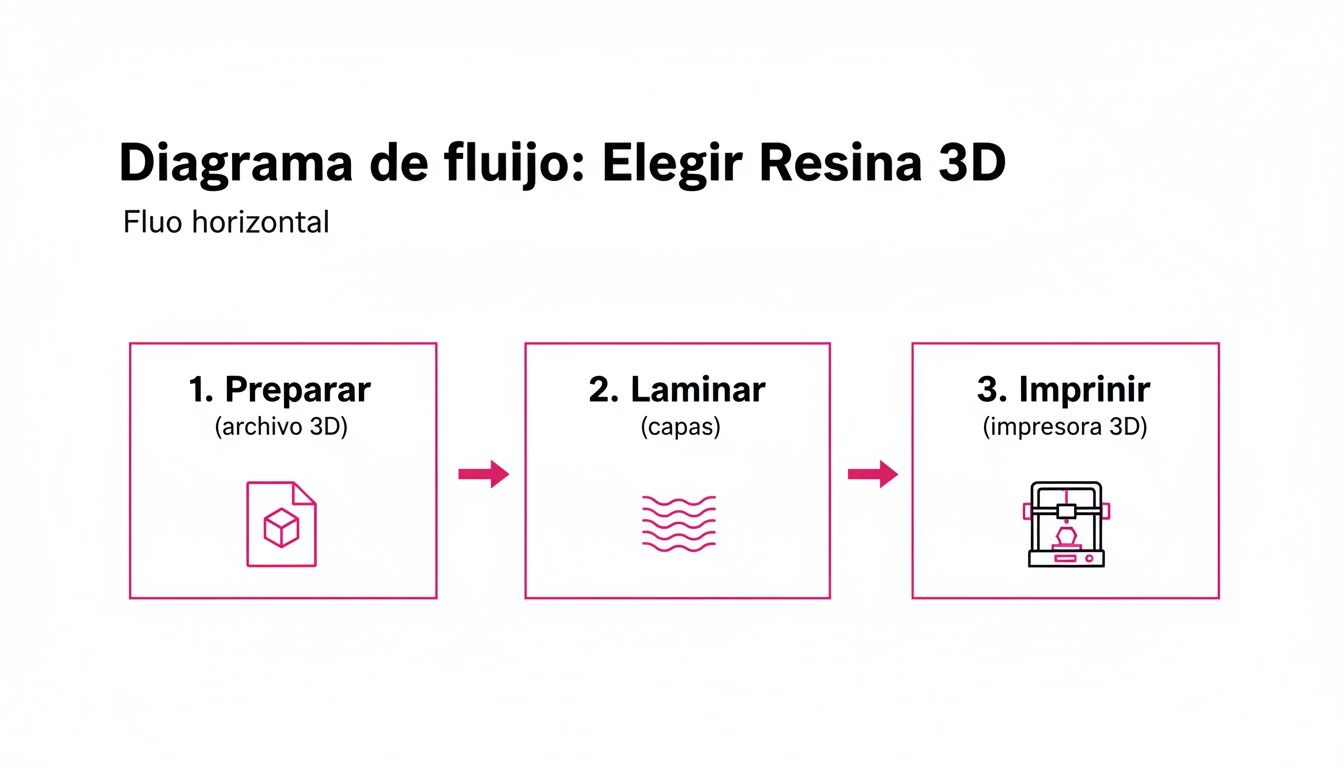
As you can see, it all starts with a digital model that we prepare, slice, and send to the printer. Let's get into it.
Phase 1: Preparing Your Model in the Slicer
The first step is entirely digital and takes place in a programme known as a slicer (the most popular options are ChiTuBox and Lychee Slicer). This software takes your 3D file (usually in .STL format) and slices it into hundreds — or even thousands — of ultra-thin horizontal layers. These "slices" are what the printer cures one by one.
This is where much of your success is determined. The decisions you make here are crucial:
- Orientation: How you position the part on the build plate matters enormously. Poor orientation creates "islands" (sections that start printing mid-air) or large flat surfaces that peel away due to suction forces. The golden rule is to tilt your model at 30–45 degrees.
- Supports: These are the small structures generated to hold up any parts of the model that would otherwise hang in mid-air. They're absolutely essential, but they do leave marks when removed. The skill lies in placing just enough supports to prevent print failures without destroying the surface detail.
Think of supports like scaffolding on a building under construction. Without them, the upper floors would collapse before they're finished. In resin 3D printing, supports are just as vital for holding up overhangs and complex geometries.
Phase 2: Printing
Once your model is sliced and saved to a USB drive, it's time for the main event. Pour your resin into the printer's vat, plug in the drive, select your file, and hit print. While the machine does most of the heavy lifting, you need to make sure your print settings are dialled in for the resin you're using.
The single most important setting is the layer exposure time. Typically ranging from 1.5 to 3 seconds per normal layer, this tells the printer how long to fire the UV light for each layer. Too short, and the resin won't cure properly — your print will come out soft or fail entirely. Too long, and you'll burn away fine details and lose definition. 🧐
Phase 3: Post-Processing — Washing and Support Removal
When the printer beeps, you're not done yet! The part comes off the build plate completely coated in liquid, sticky uncured resin. This post-processing stage is just as important as the print itself for achieving a professional finish.
- Washing: First, thoroughly wash the part to remove all uncured resin residue. The most common solution is isopropyl alcohol (IPA). To make this step cleaner and easier, wash-and-cure stations like the Anycubic Wash & Cure automatically agitate the alcohol and leave your print spotless in minutes.
- Support Removal: Once the part is clean and dry, remove the supports using flush cutters. A useful tip: do this before the final cure, as the print is still slightly more flexible at this stage, making supports easier to snap off with fewer marks left behind.
Phase 4: Final Curing
Last but not least: curing. The part coming off your printer is solid, but hasn't yet reached its full hardness. For a completely stable and durable result, it needs one final blast of UV light. ☀️
You could leave it in direct sunlight (weather permitting), but the ideal and more reliable option is a dedicated UV curing station. These machines emit ultraviolet light in a controlled, even manner from all angles using a rotating turntable, ensuring a complete cure in just a few minutes. This final step gives the print its definitive mechanical properties, turning it into a functional, long-lasting object.
Resin Safety Tips: How to Handle Resin Like a Pro
Resin 3D printing is an incredibly rewarding hobby, but let's be clear: we're working with chemicals. 🧪 The good news is that, with a few common-sense precautions, it's a completely safe activity. It's not about being afraid — it's about having respect for the materials and following best practices.
The first and most important rule is to always protect yourself. Liquid resin and the fumes it produces can irritate your skin and respiratory system. So, before you even think about opening a bottle of resin, make sure your Personal Protective Equipment (PPE) is ready and within reach.
Your essential protective gear
You don't need to suit up like an astronaut, but you do need the right tools to work with confidence. Your basic safety kit is non-negotiable and must include:
- Nitrile gloves: These are your first line of defense. Unlike latex, nitrile holds up far better against resin chemicals. Always keep a box nearby and don't hesitate to swap them out if they get contaminated or torn.
- Safety glasses: You only have two eyes — protect them! 👓 Safety goggles will prevent any accidental splashes from landing where they shouldn't, especially when pouring resin or cleaning freshly printed parts.
- Organic vapor respirator: Any old face mask won't cut it here. You need one with specific organic vapor filters (type A1P2 or equivalent) to protect you from the volatile organic compounds (VOCs) that resin emits.
Ventilation and waste disposal
Beyond protecting yourself, it's essential to take care of your workspace too. Always print in a well-ventilated room. Ideally, have a window open or, even better, an extraction system to help circulate fresh air. This disperses fumes and keeps odors to a minimum.
A well-ventilated workspace isn't a recommendation — it's a requirement. Safety in resin 3D printing starts with a proper environment that disperses fumes and ensures clean air while you work on your projects.
Waste disposal is just as important. Never pour liquid resin down the drain! 🚫 Any waste you generate — contaminated paper towels, used gloves, print supports — must be cured under UV light until completely solid. Once hardened, it can be safely disposed of in regular trash.
If you use isopropyl alcohol to clean your prints, there are some important handling guidelines to keep in mind. You can learn everything about using it safely in our complete guide to isopropyl alcohol use in resin printing.
This focus on safety is especially important in a market that continues to grow rapidly. The projections for 3D printing are staggering: the industry is estimated to surpass €10.125 billion before 2027. This explosive growth reflects how many people are embracing this technology. For companies like Mr Resin, this momentum reinforces the importance of educating our community so everyone can enjoy their hobby safely and responsibly. If you're curious, you can read more about this growth in this study on the 3D printing market.
Got questions? Here are the most common FAQs about resin 3D printing
Diving into the world of resin 3D printing is incredibly exciting, but it's completely normal to have a ton of questions at the start. 🧐 Don't worry — we've got you covered. We've pulled together the most common questions we receive so you can kick off your journey with confidence.
Let's clear up those questions that are probably running through your mind.
Is resin printing expensive?

Not at all! This is one of the biggest surprises for beginners. A few years ago, this technology was reserved for labs and large companies, but thanks to advances in MSLA printing, you can now set up your own home workshop for far less than you'd expect.
- Printer: There are excellent entry-level models with outstanding print quality available for between €200 and €400.
- Resin: A one-litre bottle of standard resin — more than enough for plenty of miniatures and small projects — typically costs between €15 and €40.
- Accessories: Budget around €50–€100 for the basics: gloves, a respirator mask, isopropyl alcohol, and a few handy tools.
For less than the price of a mid-range smartphone, you can have a complete setup capable of producing incredibly detailed prints. 💰
Does resin smell bad?
Honestly, yes — both liquid resin and isopropyl alcohol (IPA) have a pretty strong chemical smell. It's not exactly a fresh pine breeze, and as we covered in the safety section, breathing it in continuously isn't recommended.
The solution is straightforward: good ventilation. Always work in a room where you can open a window. If you're printing heavily, consider installing a small extractor fan. Many modern printers also come with activated carbon filters that help significantly reduce odours — a feature that's very much appreciated.
Are resin prints fragile?
The honest answer is: it depends. It depends entirely on which resin you choose. A part printed in standard resin can be fairly brittle — like a hard plastic that might crack if dropped. Great for display figures, but not ideal for functional use.
If you need strength and durability, though, the range of options is impressive:
- ABS-Like Resin: Offers significantly greater toughness and impact resistance. Perfect for functional parts that will see real-world use.
- Tough or Flexible Resin: Designed to withstand twisting, bending, and mechanical stress without breaking.
The key is simple: choose your material based on how you'll actually use it. A display miniature doesn't need the same durability as a drone housing.
What problems should I expect as a beginner?
Print failures are part of the learning curve — don't panic, it happens to everyone! The most common issues when you're starting out with resin 3D printing tend to be:
- The print detaches from the build plate: This is almost always caused by improper platform leveling or insufficient bottom layer exposure time. Those initial layers need enough cure time to bond firmly and create a solid foundation.
- Parts of the print are missing (islands): This happens when a section of the model starts printing mid-air with nothing underneath to support it. The fix is to carefully consider your model's orientation in the slicer and add supports at key points.
- Details look blurry or soft: This is a classic sign of overexposure. When UV light cures the resin longer than necessary, fine details get "burned" and lose sharpness. Try gradually reducing your layer exposure time.
These hiccups are all part of the learning curve. With a bit of practice, you'll be diagnosing and fixing them like second nature. 😉
Conclusion:
We've covered a lot of ground together to demystify resin 3D printing. Now you know it's a powerful, affordable technology with incredible creative potential. We hope this guide has given you the confidence and knowledge you need to start making. 🤩
Head over to our Mr Resin store, where you'll find everything you need for your workshop — from the best printers on the market to a huge range of resins and accessories from top brands like Anycubic and Elegoo. Take a look and kit yourself out like a pro!
And don't go it alone. Join our maker community! Hop into our Telegram group for exclusive discounts, the latest news, and community support we only share with our crew. It's the perfect place to ask questions and show off your builds! 💬
Never miss a deal — subscribe to our Newsletter! We'll send you coupons, early access to pre-orders, and all the latest updates straight to your inbox so you're always in the loop.
✨��Happy Printing! 🚀